
Desktop Applications · 2023
Pinnacle Dynamo
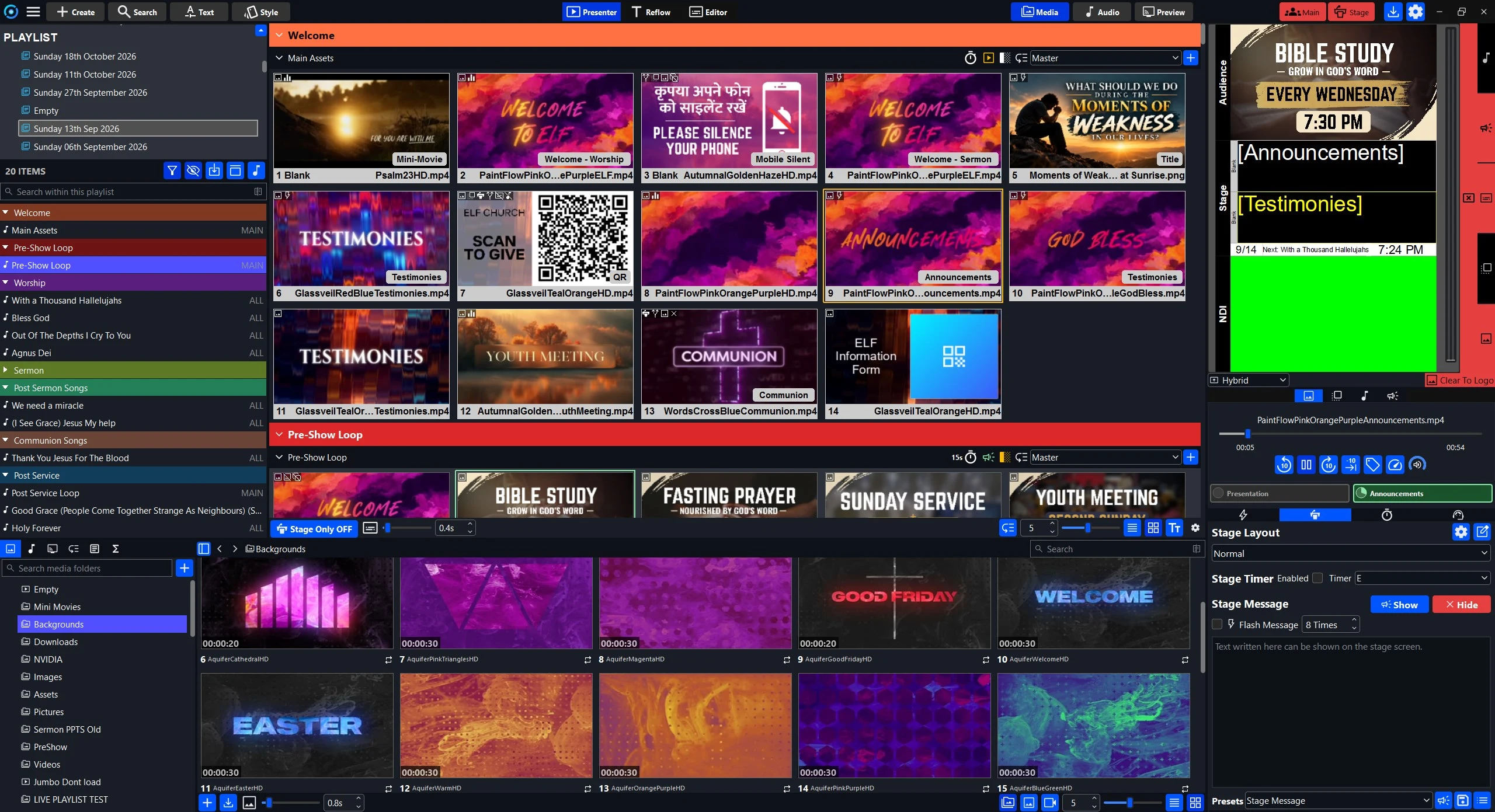
A desktop presentation and live-media control application for worship and live events, built independently in Python and Qt.
- Role
- Creator and primary developer
- Period
- 2023–present
- Status
- Active development; used weekly in live settings
- Type
- Independently developed software product
- Category
- Desktop Applications
- Technologies
- Python · PySide6 · Qt Widgets · QML · C++ · SQLite · FastAPI · Meilisearch · FFmpeg · TCP/IP · NDI · PyInstaller · Inno Setup
Links
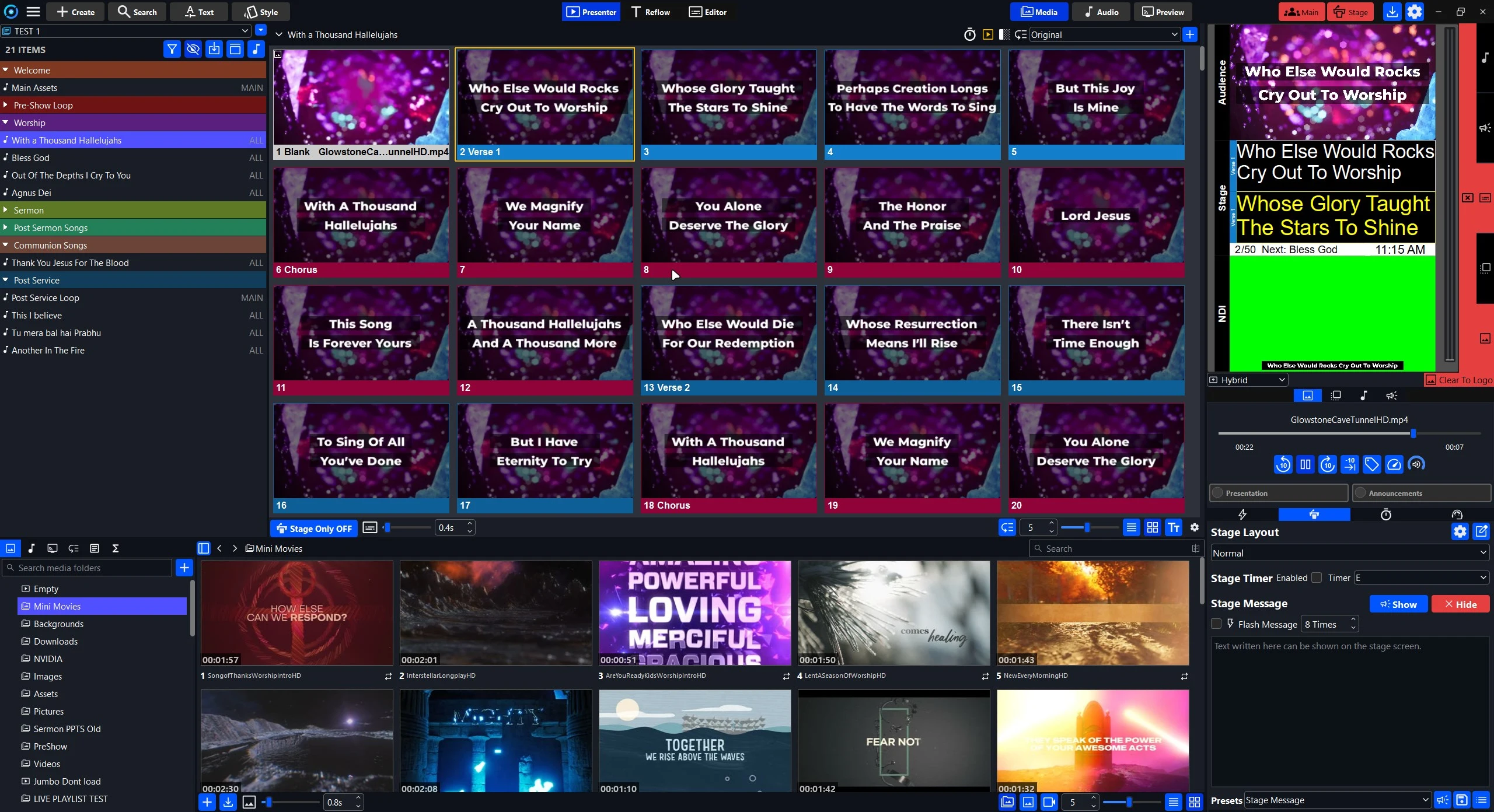
Pinnacle Dynamo is a desktop presentation and live-media control application for worship and live events. It combines lyrics, slides, video, audio, media libraries, audience and stage outputs, and operator controls in one program. The source is private.
~50,000
Lines of code
Estimate as of 2026, not an audited count.
2023
In weekly live use since
~6 s → ~500 ms
Media browser load, ~2,000 items
One reported measurement; test environment not formalized.
Context and problem#
Live presentation environments need responsive control over slides and several kinds of media, without interrupting an event that is already running. I started building Pinnacle Dynamo in 2023 to get a system fitted to these workflows: flexible editing, efficient media browsing, and predictable operation while live.
What it does#
- A desktop operator interface in Python and Qt, integrating Qt Widgets and QML.
- A slide editor supporting text, shapes, images, headings and sections, with undo/redo.
- Media management and browsing, thumbnails, playlists, and audio and video playback workflows.
- Audience and stage display handling for live control.
- Local SQLite persistence for application data, and Meilisearch-backed searching of presentations.
- Remote control interfaces built on FastAPI, plus NDI output support.
- Macros, quick actions and timing tools for live operation.
- Windows packaging and distribution with PyInstaller and Inno Setup.
Architecture overview#
A conceptual view of the main pieces, drawn from the technology list above. The compositor box is work in progress, covered below.
Engineering challenge: media-library performance#
Media libraries with thousands of files make responsive browsing hard. I investigated loading and thumbnail-generation costs and worked on caching, scheduling, and avoiding unnecessary work.
The areas involved were thumbnail caching, background scheduling, file-system scanning, queue priorities, and keeping work off the Qt UI thread.
Engineering challenge: process separation and rendering#
Real-time rendering and media work inside one large desktop application can cause responsiveness problems and make failures harder to contain. The architecture has been moving toward separating application control from media and compositor responsibilities, with local communication between the parts.
Scope#
Pinnacle Dynamo brings together UI engineering, performance profiling, media systems, data storage, remote control and packaging in a single application, and it has been used in weekly live-event and worship workflows since 2023.